Start with a link
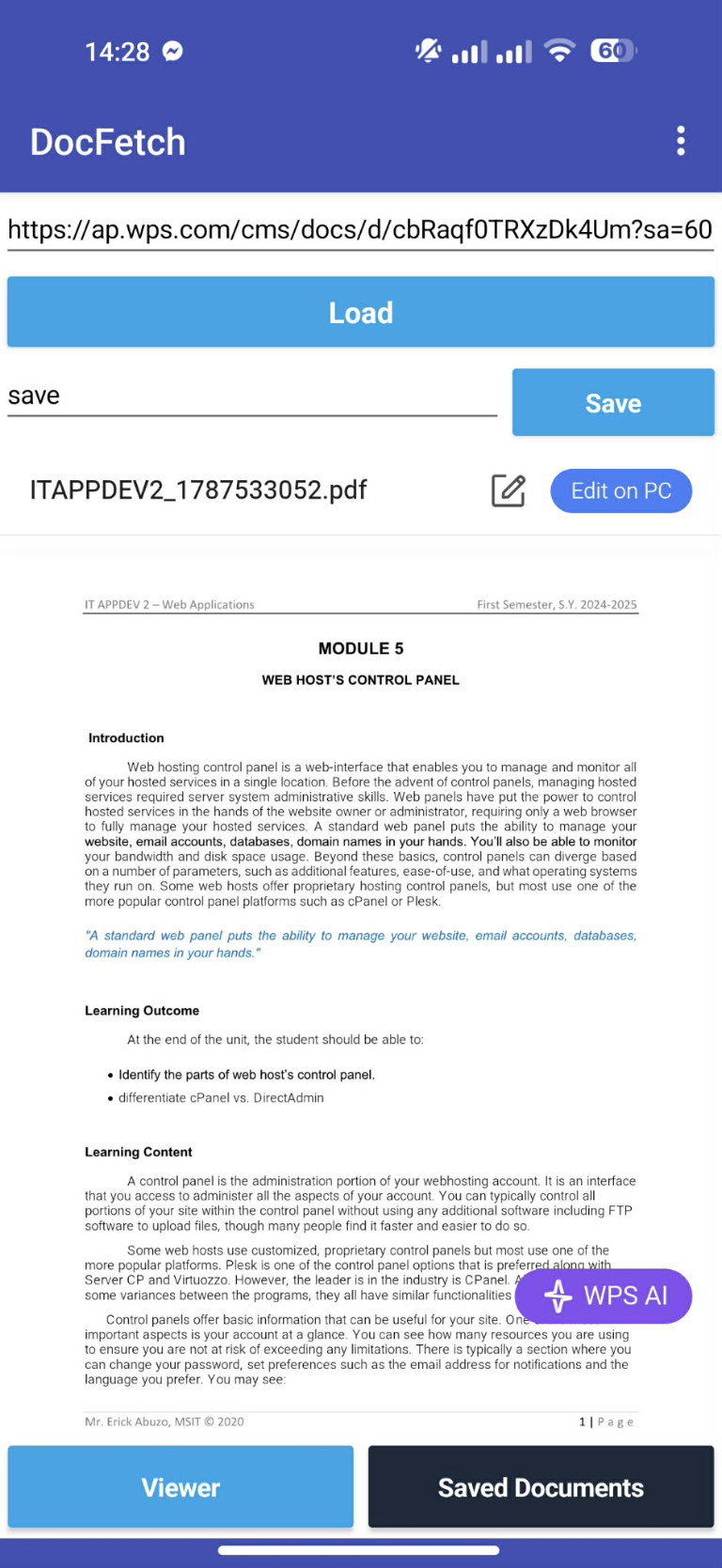
Enter a document URL in the app to request the file from its host. No hunting through folders to get started.
 DocFetch
A simpler way to fetch a file
Found a document online? Give DocFetch its URL and keep a copy close at hand on your Android device.
Simple by design. Paste a document link, download, and find it again in your saved list.
MADE FOR THE MOMENT YOU NEED IT
DocFetch keeps the essentials within reach, from the first link to the saved document.
Enter a document URL in the app to request the file from its host. No hunting through folders to get started.
Retrieve documents and save them on your device, so you can get back to the files you've downloaded.
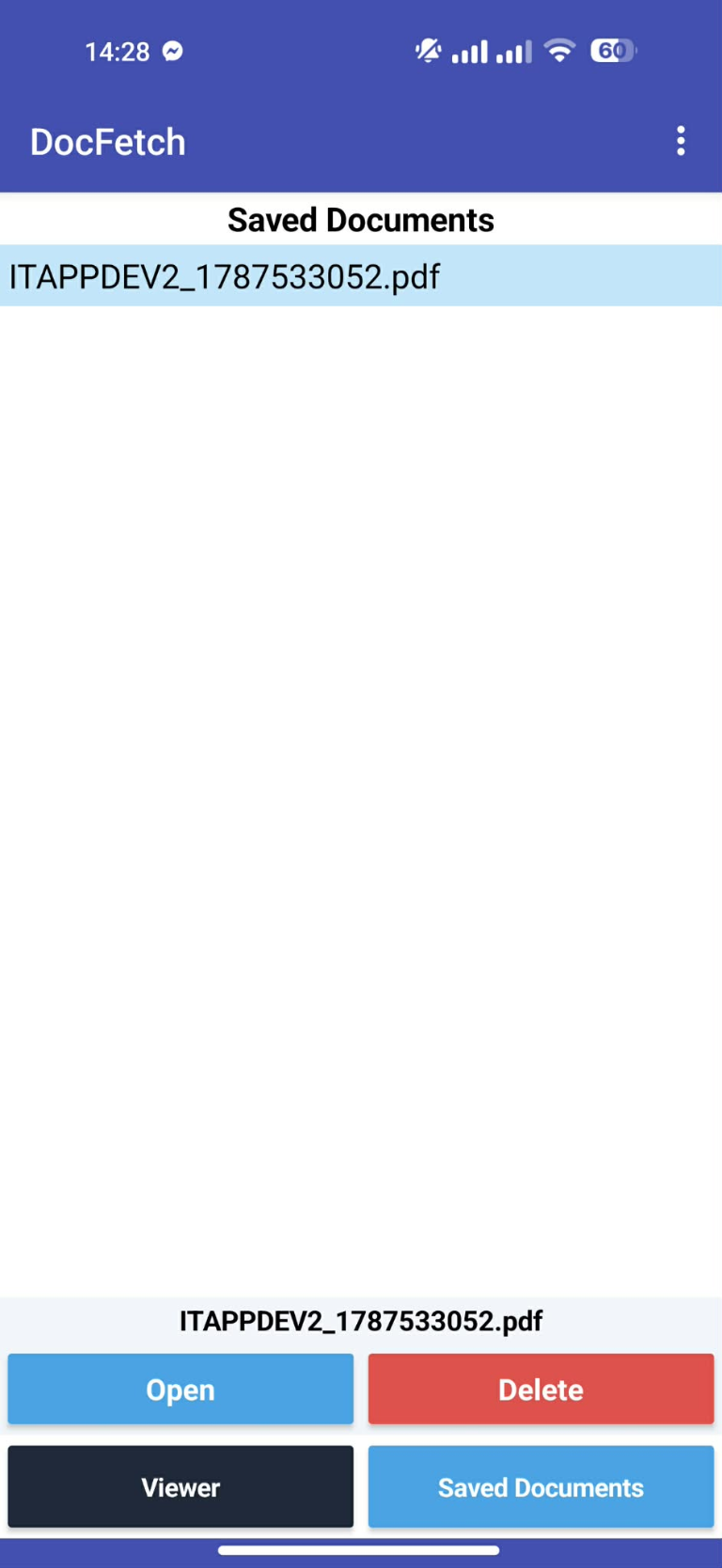
Use the app's URL and downloaded views to revisit your recent links and saved documents.
A QUICK LOOK INSIDE
The familiar, straightforward flow: add a URL, fetch the document, and find it in your downloads.
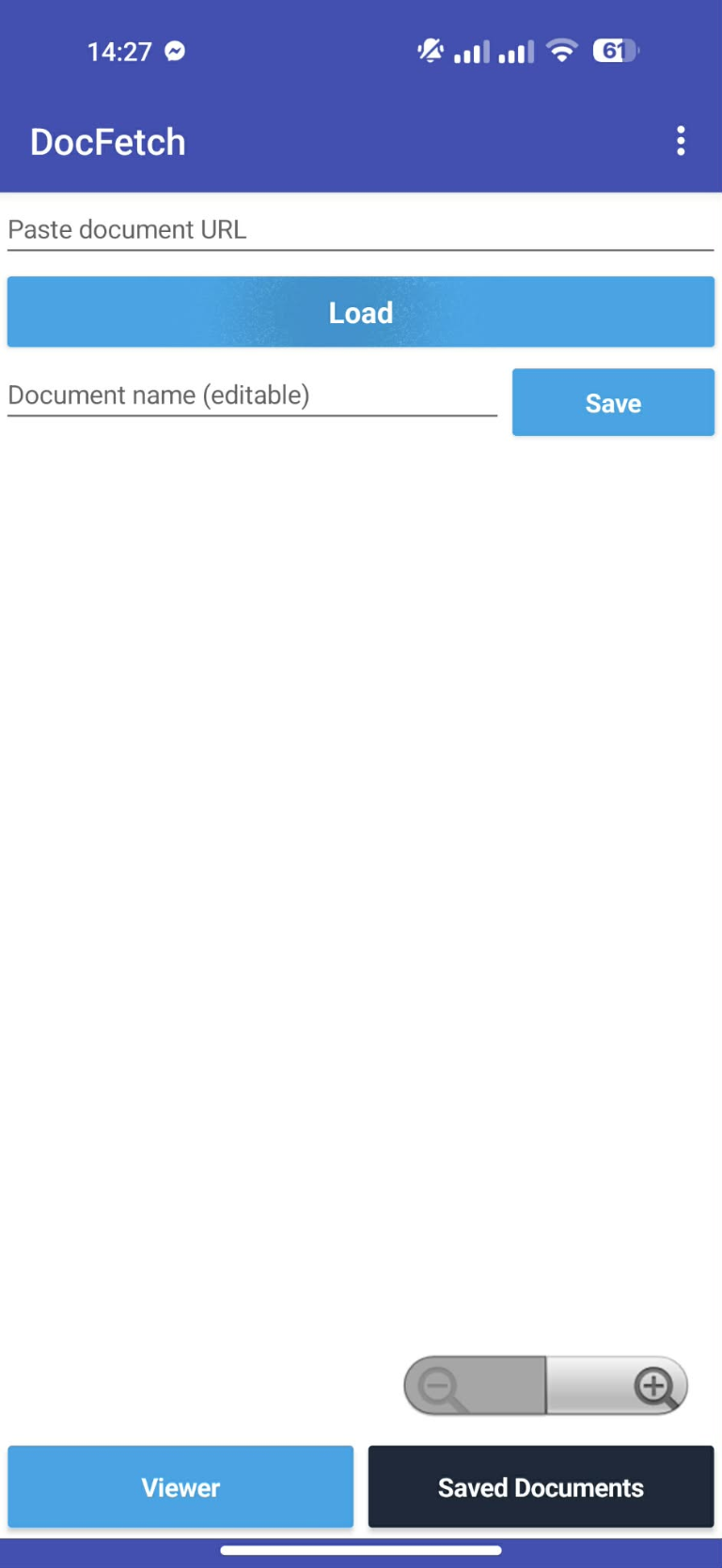
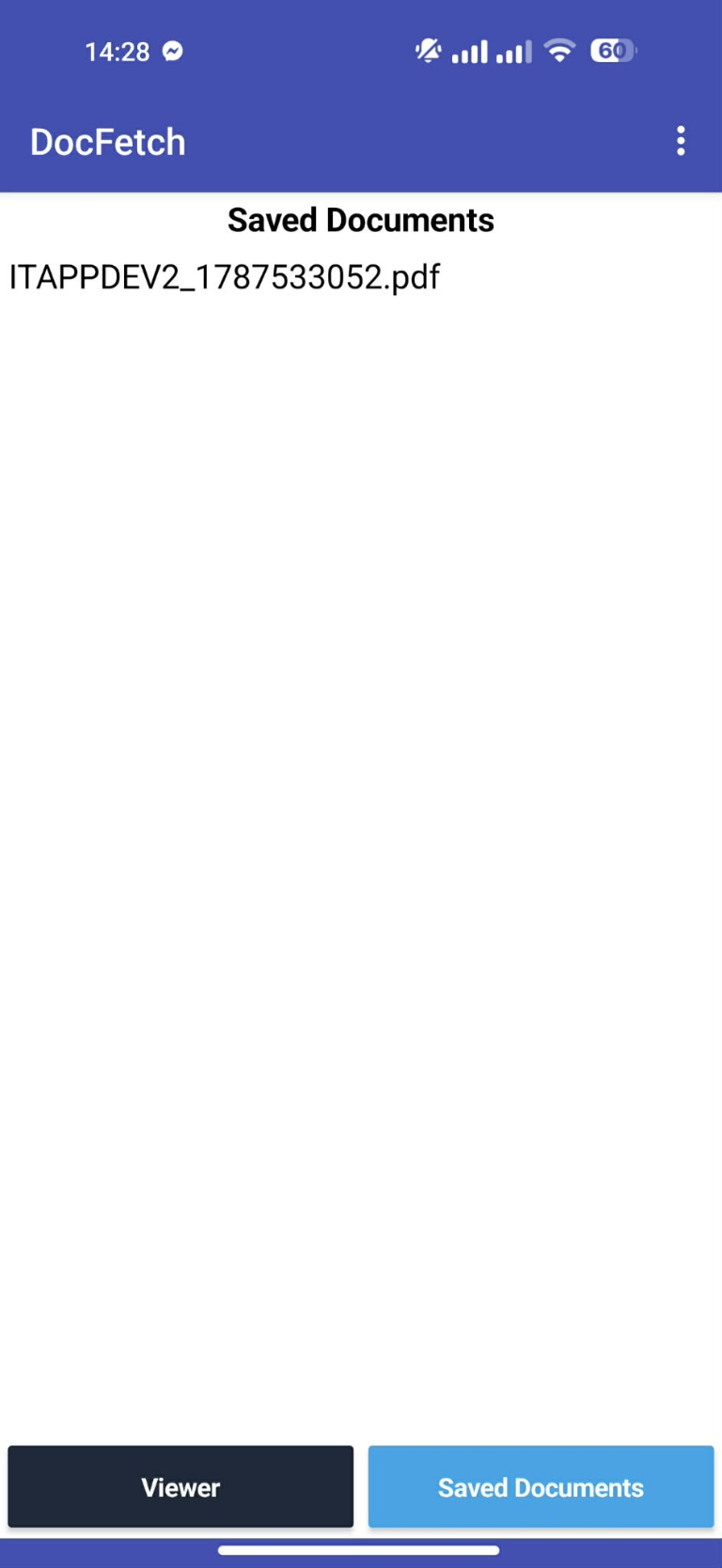
DOCUMENTS, WITHIN REACH
DocFetch keeps the document-download flow focused: start with a URL, retrieve the file, and keep it close on your Android device.
See how it worksGET STARTED IN A FEW STEPS
Use a direct URL to a document you have permission to access. The destination must make the file available for download.
Get DocFetchDownload the Android APK, open it on your device, and follow Android's prompts to install.
Copy a direct link to a document you can access, then enter it in DocFetch's URL field.
Tap Download and check the Downloaded view for the document saved by the app.
THE DOCFETCH STORY
DocFetch is an Android utility for retrieving documents from URLs and saving them on your device.
When you come across a document link, you can enter it in DocFetch and start a download from one simple screen. Once the file has been retrieved, use the app's downloaded view to find it again. The URL view also gives you a place to revisit links you've been working with.
Whether it's a document for class, work, or everyday reference, DocFetch offers a focused way to fetch a file without turning the task into a project. You provide the link; DocFetch helps bring the document to your device.
For best results, use a direct link to a file that is publicly available or that you are authorized to access. Some websites require sign-in, block automated downloads, or provide links that expire. Those files may not be retrievable through the app. A working internet connection is needed to fetch a document; downloaded files are intended to be available on your device afterward.
PLAY STORE LISTING COPY
Short description
Fetch documents from a URL and save them on your Android device.
Full description above · Keep your listing and app behavior in sync.
YOUR NEXT DOCUMENT IS CLOSER
Download the Android app and keep your document links moving.
Android installation: open the downloaded APK and approve installation if your device asks. Only install apps from sources you trust.